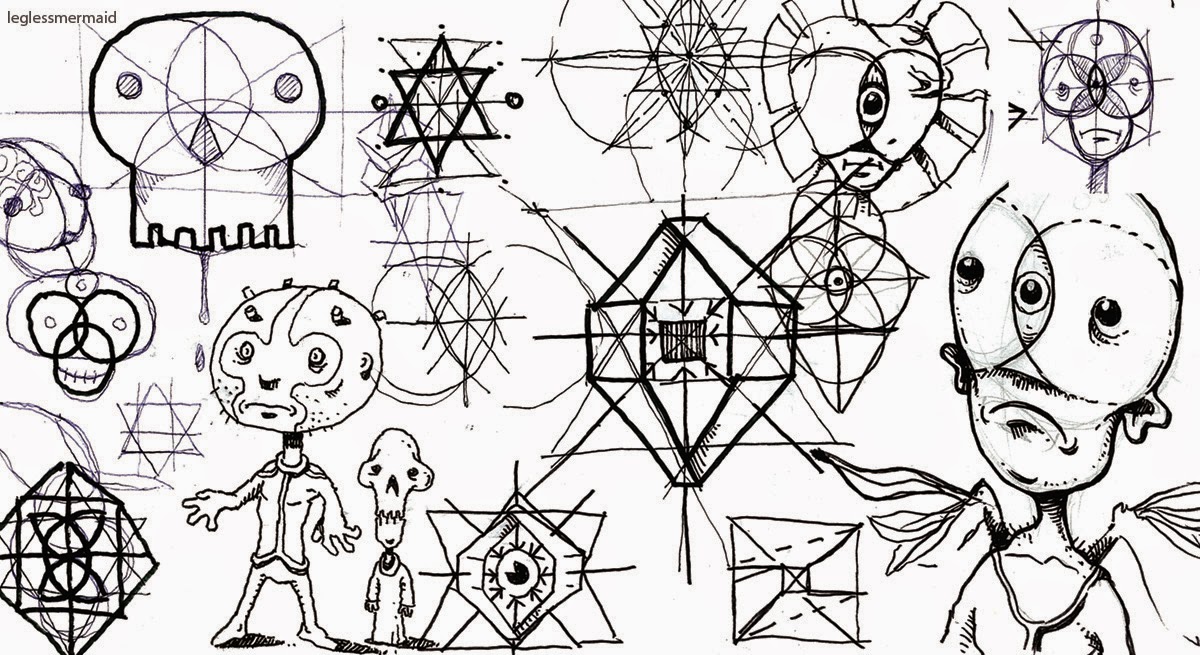
An oldie but a goodie. Need to do some new stuff.
Showing posts with label Sketches. Show all posts
Monday, August 31, 2020
Monday, August 24, 2020
Friday, June 3, 2016
Tuesday, May 24, 2016
Vector Sacred Skulls
Just a few vector concepts I was throwing around for some tattoo ideas for my son Zack. I have a lot more and am still messing around with much different ideas. I will post more later.
Monday, May 23, 2016
Thursday, August 13, 2015
Monday, April 20, 2015
Wednesday, March 18, 2015
Thursday, February 12, 2015
Thursday, February 5, 2015
Monday, December 22, 2014
Rabbits, Vampires and other oddities...
why rabbits and vampires? They contrast well.
Thursday, May 15, 2014
Friday, June 21, 2013
Tuesday, June 26, 2012
Drawings + Photos
I shot that were interesting, combined in Photoshop to create texture and a background. The last picture is a deconstruction to show the different layers.
Sunday, April 29, 2012
Monday, March 12, 2012
Pencil sketches + Photoshop
Some sketches of a character I've been playing around with...
My son and I have been calling him "Creator of Destruction"
or "COD" for short. Yes, Cod like the fish, it seemed an appropriate name for a top heavy bumbling force of havoc.
I love to try to use disproportion, the bulking upper body of the Hulk with the legs of a Preteen boy. The killing power of Conan with the clumsiness of the Three Stooges.
My son and I have been calling him "Creator of Destruction"
or "COD" for short. Yes, Cod like the fish, it seemed an appropriate name for a top heavy bumbling force of havoc.
I love to try to use disproportion, the bulking upper body of the Hulk with the legs of a Preteen boy. The killing power of Conan with the clumsiness of the Three Stooges.
Thursday, August 4, 2011
Friday, February 18, 2011
Sunday, October 31, 2010
Happy Halloween!
As per my usual, I had big plans for this one... wanted to have a creepy background with trees and big bright moon and have these guys crawling out of a crypt or something with a procession of painted faced skeletons all surrounding the pumpkin king. At my rate and free time
I may of had this the way I wanted it done by Christmas!
Anyways, this is what I pulled together in time for Halloween, concept sketches in Photoshop, a little inking on the rat in Illustrator and then back into Photoshop to splash in a little color.
Although there is no real composition or layout here, it was a blast to work on and a nice little digital study.
Have a great Halloween!
I may of had this the way I wanted it done by Christmas!
Anyways, this is what I pulled together in time for Halloween, concept sketches in Photoshop, a little inking on the rat in Illustrator and then back into Photoshop to splash in a little color.
Although there is no real composition or layout here, it was a blast to work on and a nice little digital study.
Have a great Halloween!
Thursday, September 23, 2010
What's your vector victor?...over.
I will always draw by hand, that's how I learned to do art,
that's what I know.
But, in my efforts to grow and always try to learn more, especially the
digital side of things, I wanted to experiment with digital inking.
There are a lot of cool tools and software out there for this but I have lately been checking out a bunch of different online articles and tutorials by some great artists about inking in Adobe Illustrator.
Illustrator is a program that I have used for a long time, but, used more as a graphic software or, if I was doing an illustration I would typically ink the art by hand and then bring into Illustrator. I wanted to try to find something digital that almost looked liked I scribbled it out with a felt tip marker, Illustrator seems to be pretty sweet for this, but unlike Photoshop which is pixel based, Illustrator is vector based
(mathematical points and paths) which is wild, gives you a lot of options as far as setting your brush tool, unlimited re-dos and making quick corrections, It also imports into Photoshop seamlessly to color up.
Here is a quick little exercise I did, nothing special but was a lot of fun, experimented with a lot of crosshatch and dots and just a lot of noise
Tried to pack this to see if all the vectors would bog down the file,
but it did OK, the second photo shows the points and paths.
Much more practice with this to come.
that's what I know.
But, in my efforts to grow and always try to learn more, especially the
digital side of things, I wanted to experiment with digital inking.
There are a lot of cool tools and software out there for this but I have lately been checking out a bunch of different online articles and tutorials by some great artists about inking in Adobe Illustrator.
Illustrator is a program that I have used for a long time, but, used more as a graphic software or, if I was doing an illustration I would typically ink the art by hand and then bring into Illustrator. I wanted to try to find something digital that almost looked liked I scribbled it out with a felt tip marker, Illustrator seems to be pretty sweet for this, but unlike Photoshop which is pixel based, Illustrator is vector based
(mathematical points and paths) which is wild, gives you a lot of options as far as setting your brush tool, unlimited re-dos and making quick corrections, It also imports into Photoshop seamlessly to color up.
Here is a quick little exercise I did, nothing special but was a lot of fun, experimented with a lot of crosshatch and dots and just a lot of noise
Tried to pack this to see if all the vectors would bog down the file,
but it did OK, the second photo shows the points and paths.
Much more practice with this to come.
Subscribe to:
Posts (Atom)